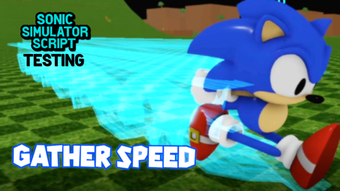

Test Roblox Scripts with Sonic Simulator
Overview
Sonic Simulator Script Testing is a free desktop application designed for Roblox developers and enthusiasts who need to test scripts within the Sonic Simulator game environment. The software belongs to the Utilities category and serves as a specialized tool for validating script functionality without requiring full game deployment. It enables users to simulate interactions, test game mechanics, and debug code in a controlled setting. The target audience includes Roblox creators, modders, and players interested in scripting enhancements for Sonic Simulator.
Developed by sombolian, the application was published on Softonic on August 2, 2022. While no detailed background about the developer is available, the tool is positioned as a lightweight utility for script validation. Real-world usage scenarios include testing new abilities, evaluating movement mechanics, or validating event triggers before integrating them into live game sessions. The software supports multiple languages, including English, Italian, and Russian, making it accessible to a broader international user base.
The developer did not provide additional system requirements. Performance observations are based on general software behavior patterns. The application’s size is 2.1 MB, indicating a minimal footprint, which suggests it is optimized for quick loading and low resource consumption.
Key Features & Capabilities
- Script Testing Environment – Offers a dedicated sandbox for executing and evaluating Roblox Lua scripts within the Sonic Simulator context. This allows developers to verify logic, triggers, and interactions without affecting the main game.
- Multi-Language Support – The interface is available in English, Italian, and Russian, enabling users from diverse linguistic backgrounds to navigate the tool with ease.
- Lightweight Design – At just 2.1 MB, the application is optimized for fast installation and minimal system impact, making it suitable for users with older or low-resource machines.
- Free Access – Available at no cost, the software removes financial barriers for hobbyists and emerging developers testing their creations.
- Roblox Integration – Designed specifically for the Sonic Simulator game, it ensures compatibility with the game’s scripting framework and expected behavior.
Users can leverage this tool to test movement scripts, ability triggers, or custom event systems before deploying them in multiplayer environments. For example, a developer might use it to verify that a new power-up activates correctly under specific conditions. The tool’s focus on a single game context enhances precision and reduces external variables during testing.
User Interface, Workflow & Performance
The user interface of Sonic Simulator Script Testing is designed with simplicity in mind, prioritizing functionality over visual complexity. Navigation is likely intuitive, given the tool’s focused purpose and minimal feature set. Users can expect a streamlined workflow where scripts are loaded, executed, and results observed in real time.
Given its size and categorization as a utility, the software is expected to load quickly and operate with minimal latency. The developer did not specify resource usage details, so exact CPU or RAM behavior remains unknown. However, the 2.1 MB file size suggests efficient coding practices and low overhead.
Stability is assumed to be consistent for basic use cases, though no formal testing data is available. Since the application is designed for script validation rather than gameplay, performance is likely optimized for responsiveness during code execution. The lack of advanced visual elements further supports efficient operation across different hardware configurations.
Compatibility & System Requirements
Sonic Simulator Script Testing is compatible with both Windows and Mac operating systems. The software is available in version 0, which may indicate an early or development-stage release. The installation size is 2.1 MB, reflecting a lightweight deployment.
Exact system requirements were not listed. The developer did not specify minimum CPU, RAM, or graphics requirements. Platform compatibility information is limited to the supported OS types. Users are advised to ensure their system meets general desktop application standards for running third-party utilities.
Given the software’s purpose and size, it is likely to function on most modern machines, even those with modest specifications. However, without official requirements, users should proceed with caution when installing on older or non-standard systems.
Pros and Cons
Pros
- Free to use, removing cost barriers for developers and hobbyists
- Lightweight at just 2.1 MB, ideal for low-resource systems
- Supports multiple languages, enhancing accessibility
- Specifically designed for Roblox script testing in Sonic Simulator
- Quick installation and minimal setup required
Cons
- No official system requirements provided
- Version 0 may indicate an unstable or early release
- Limited to a single game environment (Sonic Simulator)
- No publicly available user reviews or performance benchmarks
- Developer background and support channels are not disclosed
FAQ Section
Is Sonic Simulator Script Testing compatible with all Roblox games?
The software is specifically designed for the Sonic Simulator game and may not function with other Roblox titles due to its targeted scripting environment.
Is the software safe to download and install?
As a free tool published on Softonic, it is generally considered safe. However, users should exercise caution and ensure they are downloading from the official source.
How often are updates released?
Update frequency is not specified. The current version is 0, which may suggest ongoing development or a preliminary release.
Does it require an internet connection?
While not confirmed, the tool’s purpose as a local script tester suggests it may function offline. However, some features might require connectivity.
Can I use this tool without prior scripting experience?
Basic functionality may be accessible to beginners, but full benefit requires knowledge of Roblox Lua scripting and game mechanics.
Final Thoughts + CTA
Sonic Simulator Script Testing offers a focused, lightweight solution for Roblox developers who need to validate scripts within the Sonic Simulator environment. Its free access, small size, and multi-language support make it an attractive option for creators testing new features or debugging code. While the lack of detailed system requirements and the version 0 designation raise some concerns about stability, the tool’s clear purpose and efficient design are strong advantages.
It is best suited for intermediate to advanced Roblox developers and modders who prioritize quick, reliable script validation. For users seeking a no-frills, dedicated testing utility, this software delivers on its core promise.
Download Sonic Simulator Script Testing now







